 Ask AI
Cloudinary MediaFlows Release Notes: May 31, 2026
Last updated: May-31-2026
This page lists features and updates shipped during the several weeks prior to the date shown above. The information is accurate as of that date only and intentionally isn't updated when those features change later.
Don't rely on this page to understand how a feature works today. Apart from historical release notes pages, every page in this docs site is kept current, so wherever this page and the current documentation disagree, the current documentation is correct. You can follow the relevant Learn more link from this page to get the latest information on that feature.
Enhancements
Updated templates page
The redesigned templates page makes it easier to discover new automation use cases and get started without building from scratch. Browse featured templates organized by industry-specific categories, or use AI-powered search to find a template that matches your use case, then launch straight into a working flow.
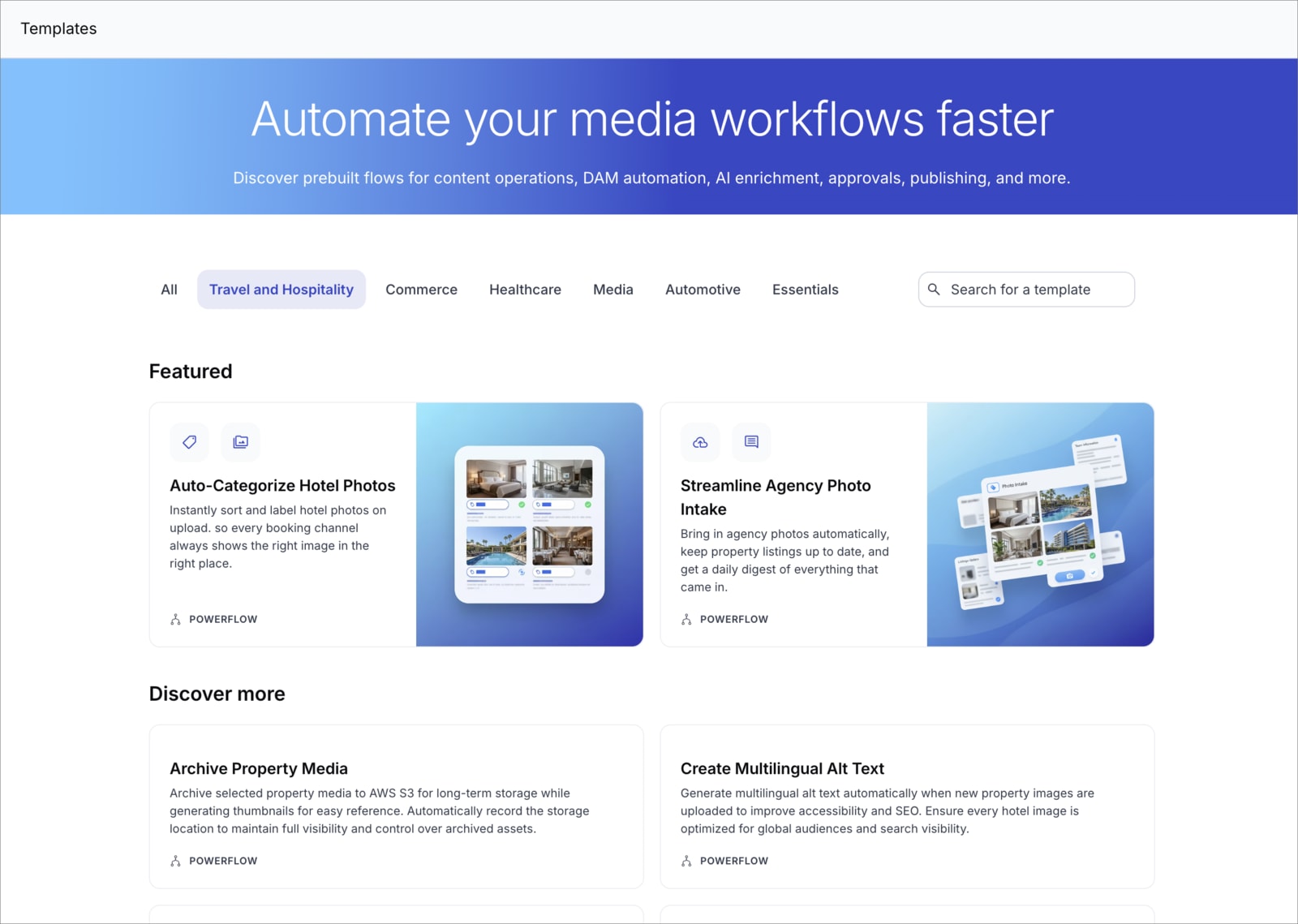
Learn more about PowerFlow templates
Notification block now supports user groups
The Notification block now lets you send in-app notifications to both individual users and Cloudinary user groups. When you configure the Notify field, you can select from your organization's user groups in addition to individual users, making it easier to alert entire teams without having to select each member individually.

Learn about the Notification block
Universal API block: Response filter
The Universal API block now includes a Response filter field. Use it to write a JQ expression that transforms or extracts data from the API response before it's passed to subsequent blocks, useful for trimming down large responses.
Learn about the Universal API block
Surfer - AI Agent renamed to Workflow Agent
The Surfer - AI Agent has been renamed to Workflow Agent. The feature works exactly as before — you can now access it from the Workflow Agent tab in the MediaFlows Console and use it to create flows, troubleshoot issues, and query your automations using natural language.
Learn more about the Workflow Agent
Send Teams Message block is now generally available
The Send Teams Message block is out of Beta and now generally available. Use it to send messages to a Microsoft Teams channel via an incoming webhook, in simple text mode or with full Adaptive Card layouts.
Learn about the Send Teams Message block
Coming soon
Flow-level execution notifications
You'll soon be able to configure in-app notifications that are sent automatically when a flow execution succeeds or fails, without adding a Notification block to your flow. Recipients and an optional custom message can be set separately for success and failure events. The existing error notification webhook option will also be consolidated into the same settings dialog.
Register for notifications
Make sure you always know when we publish new release notes with the MediaFlows release notes RSS feed:
 Grab this RSS link to watch for new MediaFlows release notes in your favorite RSS reader.
Error
Rate this page:
