 Ask AI
PR Previews
Last updated: Oct-26-2026
On this page:
Overview
The PR Preview system automatically deploys a temporary, isolated version of the documentation site for every Pull Request. This allows content creators and developers to visually verify their changes in a live environment before merging.
How to Access Previews
When you open a PR or push commits to an existing PR:
- Navigate to the specific Pull Request on GitHub.
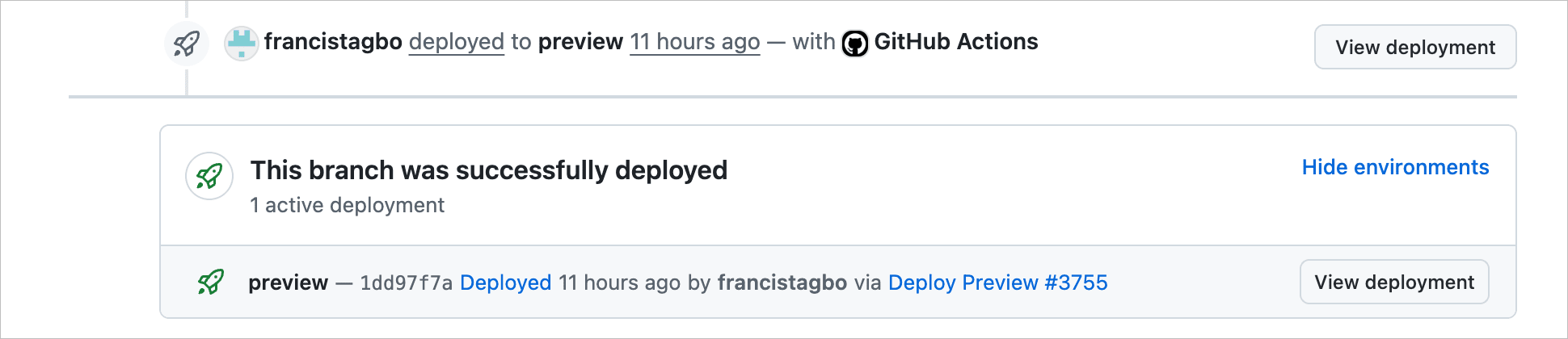
- Look for the Deployments section in the main activity column.
- Click Show environments to expand the section and then click View deployment.
Alternatively, look for the Deploy Preview check in the list of status checks at the bottom of the PR timeline.
Features
- Automatic Deployment: Triggers on every commit to a PR.
- Isolated Environment: Each PR gets its own isolated folder in S3 (
/previews/pr-123/). - State Consistency: The preview folder is cleaned before each deploy, ensuring that deleted or renamed files don't linger.
- Visual Indicator: Preview pages display an orange "PR" favicon to distinguish them from Production, Staging, or Nightly environments.
- Auto-Cleanup: The preview deployment is automatically deleted from S3 when the PR is closed or merged.
Architecture & Security
The system is designed to be secure and isolated from production:
- Bucket: Deploys to
cld-documentation-nightly(public bucket, same as nightly builds). - Path: content is stored at
s3://cld-documentation-nightly/previews/pr-{PR_NUMBER}/. - Search Indexing: All preview pages are blocked from search engines via:
-
NOINDEX=1build flag (injects<meta name="robots" content="noindex">). -
X-Robots-Tag: noindexHTTP header set on S3 objects.
-
- URL Rewriting: Internal site links (e.g.,
href="/documentation/...") are automatically rewritten during deployment to point to the preview path (href="/previews/pr-{N}/...").
Limitations
- External Links: Links to
cloudinary.comor other external sites are not rewritten. Clicking them will take you out of the preview environment. - Dynamic URLs: If JavaScript code dynamically constructs URLs (e.g., string concatenation), the automatic rewrite might miss them.
- Lifecycle: Previews are ephemeral. Once a PR is closed, the link will stop working immediately.
✖️
Error
Rate this page:
